Classic and Pro: Bobcat's New Loader Categories Help Contractors Command Performance
As the company reimagines its compact loader lineup, equipment owners and operators stare down the divide, zoning in on jobsite priorities, performance, AI technologies and long-term equipment strategies.
At CONEXPO-CON/AGG 2026, Bobcat made severalannouncements about the future and how it is rethinking its loader lineup — all centered on simplifying operator choice and putting more control in their hands than ever before.
At the show, Bobcat announced two loader categories: Classic and Pro. The two offerings, designed for different types of customers who value different things, present end users with two simple paths. In all, Bobcat’s goal is to make it easy to get the right customer to the right machine for the work they’re looking to get done.
Equipment Today (ET) spoke with Megan Finch, senior manager of construction product marketing at Bobcat in North America, to learn more about the structure of these new loader categories, as well as some of the features that make them each the right fit for the right operator. IRONMARKETS
“Classic is tried and true,” said Finch. “It's the controllability that owners and operators have known, trusted and loved for years. It's really a utility machine. It's an excellent foray into the brand for a first time buyer, but it's also something that's been known and trusted for a long time, and we're committed to keeping a classic offering for the people that just love the brand and they want to move some dirt around and get the job done.”
“Pro is where we've announced the largest advancement in the loaders, and really the future to include advanced technology and updated user experience, controllability improvement, something really exciting advancements and controllability, and some performance enhancements as well,” said Finch.
Alongside the announcement, Bobcat earned a place among CONEXPO's 2026 Next Level Technology Awards. Recognizing standout innovation, engineering and industry impact, Bobcat's new in-cab artificial intelligence (AI) tool, Jobsite Companion, was named a finalist, highlighting the company's commitment to advancing smarter technology in the construction industry.
Following these launch, the ET editorial team joined Scott Johnson, senior director of construction products at Bobcat, for a product walkaround to get a better grasp on the technology coming to operators with this release and what end users can expect from each product category now and into the future.
ET: Do you see this Classic/Pro structure trickling down throughout the organization and every product lineup?
Johnson: I do. I do foresee that we will have classic and pro across our products. That's kind of where we're going. And keep in mind, one of the reasons we're doing this, back to what [Finch] said, is as products are evolving. With this is evolution, we want to be able to start bringing product features and functions out faster, instead of waiting for a new series. So that's really what we're doing, and we do foresee that shift, because it's our future to be able to evolve quicker and change with customer needs.
ET: On the Pro, does Bobcat partner with other manufacturers to bring technologies features out faster?
Johnson: We do. Our advanced Pro package, we offer the Jobsite Companion AI feature, as part of the package. As new technology comes out — for example, in the past, things like MaxControl — those will move into the advanced package first, so that we have a platform for early adopters and people want to try to play with some new technology. Then that will proliferate through the other packages as it matures, so we can go to market faster and offer customers who really want that leading-edge product a way to get it.
ET: Let’s walk through the features on the Pro end and how they compare to the Classic.
Johnson: The biggest change to the Classic, in terms of features, is the integrated features. In the in the past, you could add a rear camera, but now it's going to be integrated into the display as an option. We've simplified our package offerings, and the pricing is a much more competitive price point. We're really staying tried and true to what it is. People love the controllability, so we didn't change a lot. To that end, the Pro is where we have quite a few changes.
Our goal with the Pro Series is to start making it so that when you get in the machine, it actually adapts to the operator. In the past, when you got into the any industry machine, it only controlled one way, and you had to learn how to operate the machine in that way. The Pro Series is all about adapting the machine to the actual customer, instead of the other way around. No. 1 is the controls — we've updated all the controls in our Pro models, but we've also added drive modes, for example. For example, in your car, you have eco mode, sport mode and comfort mode, which are dramatically different feels. Here, we've done the same thing. We've added four modes: Balanced, Agile, Dynamic and Charged.
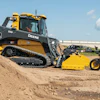
Each one of them is completely different, so if I'm an operator who wants something smooth and precise, I might choose the Balance mode. If I want to be really quick on the controls and really responsive, I might put on Charge mode so it adapts to me, rather than me having to figure out how to operate that machine. We have these in the T86, our largest machine. The one we have here today happens to be a land management machine, but in this product, we've done two major upgrades: First, it's now 115 horsepower, up from 110 horsepower. Second, we've added a 12-foot lift height. A lot of customers have asked to go from 11 feet to 12 feet in the size class, and now we're the only ones that offer the 12-foot lift height.
ET: Fill us in on Jobsite Companion and what it brings to the table for end users. IRONMARKETS
Johnson: In terms of the adaptability, the Jobsite Companion feature is an AI feature that has four things that let you do operate any function inside the machine by your voice. Instead of having to learn how to do it on the machine itself, it'll actually let you just press the button and say, "Do [something]," and it'll do [something]for you. What we've done with Jobsite Companion is when you put on, for example, and attachment, it will customize the machine settings to the attachment you're using. So, if you're a new operator and don't know how to operate, the machine will make it more operable for you because of that. You can also ask it questions to have it answer for you. There are also options for job costing to help operators quote work. For example, if you quoted a job at $5,000 and 500 hours, if you have labor machine out cost per hour, attachment cost per hour, and fuel cost per hour, it'll actually calculate, as you're running the machine and doing the job. You'll know how much it costs versus the estimate you actually quoted so that you'll learn how to make more money as you're operating the machine.
ET: In the AI assistance realm, is there a conversation you can have with it to ask, 'How am I doing on my job?'
Johnson: Yes, our plan is to have an efficiency rating as you go. There are two reasons for that. No. 1: so the operator knows whether they're on track and on time. And No. 2, so the operator can know overall profitability. Because [someone] may operate the machine worse than [someone else], you, as an owner, may want to be aware of that, so that when you're quoting the work, you know which operator to have in the machine or offer training opportunities. So Jobsite Companion really allows a lot of flexibility for new operators. Other examples of the functionality of Jobsite Companion include situations like if we want to turn on the lights, you just push this button, say it, and then it will do it: Turn on lights. Turn off lights. And on the drive modes we discussed earlier, if I wanted to change from Balance to Charged, I can just say, "Change drive mode to Charged." If speed management is at 46, and let's say I want to change that speed management to 75: "Change speed management." Asan operator, you can make the changes. Your hands are always on. When you're operating, the only time you're actually moving and doing work is when your hands are on the controls. My hands don't have to ever leave the controls to do all this. I don't have to go into the display screen or other buttons in the machine.
ET: Are there any limitations of the AI tool?
Johnson: It's limited to what we've trained it on, and what we have set on this is to be safe. Regarding the features we chose to put forward, we wanted to start walking before we run, especially working with customers and on data. If we want to optimize data, we have to make sure we have operators who understand it. If we want to pull data from it, what are we pulling? Are they in agreement with that? And so on. We really are taking the approach of "let's walk first." Let's not start running, because we want to make sure the language model that's behind this is actually answering correctly, not hallucinating. So we've actually taken this and really narrowed the amount of information it has so that it answers correctly, and we can always grow that over time. The AI tool is calling on information from the operator's manual and personal operator data, not the whole of the internet. We want to be safe and ensure the machine knows which piece of information to pull and from where, all in an effort to be careful to prevent hallucinations and protect operator safety.
ET: Is response time dependent on connectivity?
Johnson: The answer is no, because we actually have embedded this on the machine, so it does not require connectivity at any point in time to do give it basic commands. There are some we do require connectivity needs for, like over-the-air updates, so that if we have any issues or need to update things immediately, we can do that.
ET: Noting the use of the physical button to engage the AI assistant. You don't have to call out, “AI Assistant” to engage it?
Johnson: So that's one thing we made a conscious decision to avoid. If you use voice to activate it, the problem is in a loud construction environment, it's hard to hear and could cause confusion by mishearing a command. So the button is an intentional move indicating, "I want to the machine to do something."Because there are a lot of functions that can be enabled, you want to make sure that you're actually intending to enable them. There is also a chat log in the system, so you can know what it heard to make sure it's right.



 IRONMARKETS
 IRONMARKETS
 IRONMARKETS